
Customers have the ability to configure and customize their own DomainTools Domain plugin directly in the threatER Portal. This gives you more control over your threat intelligence, allowing customers to fine-tun risk score thresholds to achieve better precision and flexibility.
The existing out-of-the-box DomainTools Domain feed is still available to all customers. The out-of-the-box feed consists of Domains that have an Overall Risk Score of 99-100. Additionally, a domain categorized as Spam is filtered out when the other categories have null scores.
Navigate to Collect and click on the "+" in the top-right corner. The DomainTools integration is available for Block Domain List Types.
Provide the following information under List Details (* indicates required field):
|
Field Name |
Description |
|
Name* |
Unique list name required |
|
Source* |
Options include Manual or Plugin but for integrations, select Plugin |
|
List Type* |
Options include Block, Allow, Threat, but for this Plugin choose Block |
|
Indicator* |
Options include IP or Domain but in this example, select Domain |
|
Description |
A brief summary of the list |
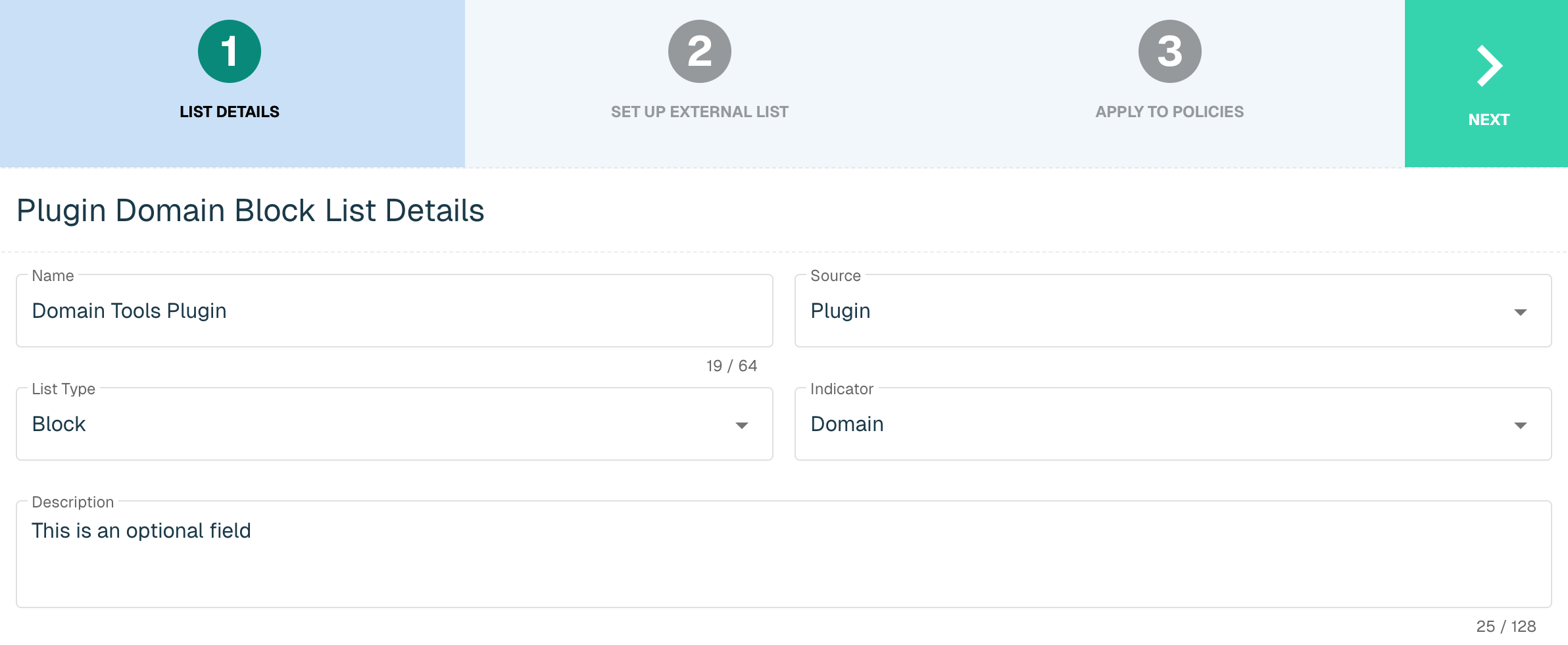
Select Next to proceed to the Set Up External List step once all required fields are complete. Enter the following fields for the DomainTools Integration:
|
Field Name |
Description |
|
Plugin Name |
Select DomainTools |
|
Interval |
Time between each pull in minutes |
|
Thresholds |
The scoring options include: Overall Risk - the final score of a domain, calculated by taking the highest of the Threat Profile scores and the Proximity score Proximity - Quantifies the closeness of a domain to known-malicious domains. Indicates the likelihood of malicious intent based on registration details and hosting infrastructure. Threat Profiles - Machine learning scores tuned for specific threat categories: Malware, Phishing and Spam. |
For guidance on configuring your score thresholds, consult the following details on the DomainTools scoring model:
|
Score Range |
Description |
|
100 |
Blocklisted - these domains have the highest likelihood of malicious intent. |
|
90-99 |
Strong Confidence in near-term weaponization |
|
70-89 |
Default Recommendation - a potential threshold for suggesting malicious intent and significance in an investigation, depending on your security context and priorities |
|
50-69 |
Requires attention, depending on your organization's security posture. |
|
1-49 |
Very little evidence of malicious intent |
|
0 |
Zero-listed - Domains that have no evidence of malicious intent and are often vital to the expected operation of the Internet |
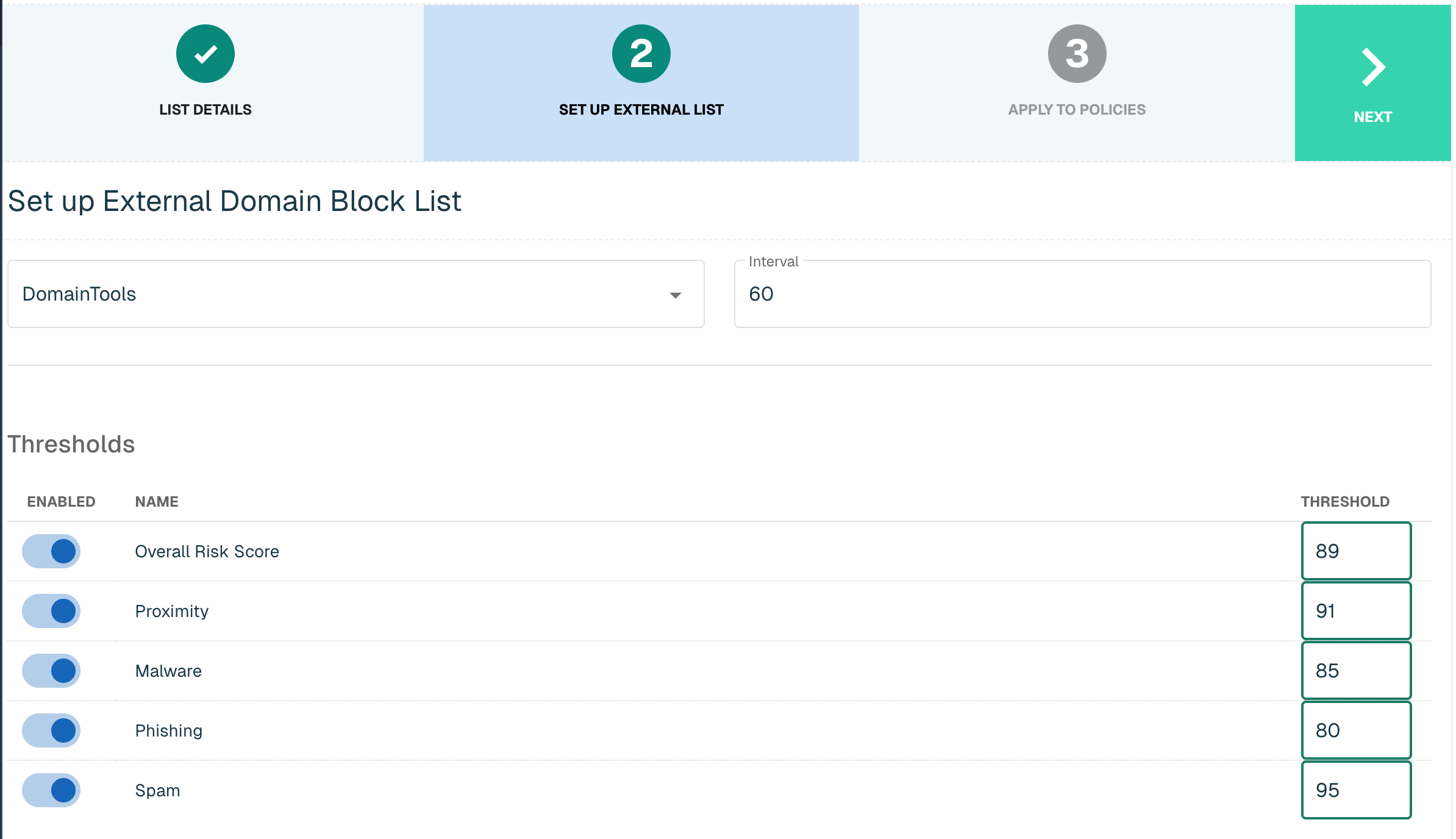
Click Next to move on to the Applies to Policies step. Entries within a Domain list are not blocked until the List is applied to a Policy. To apply this new list to a policy, select the applicable policies. It is recommended that you set up two different threshold lists - one for Inbound, the other for the Outbound policy.
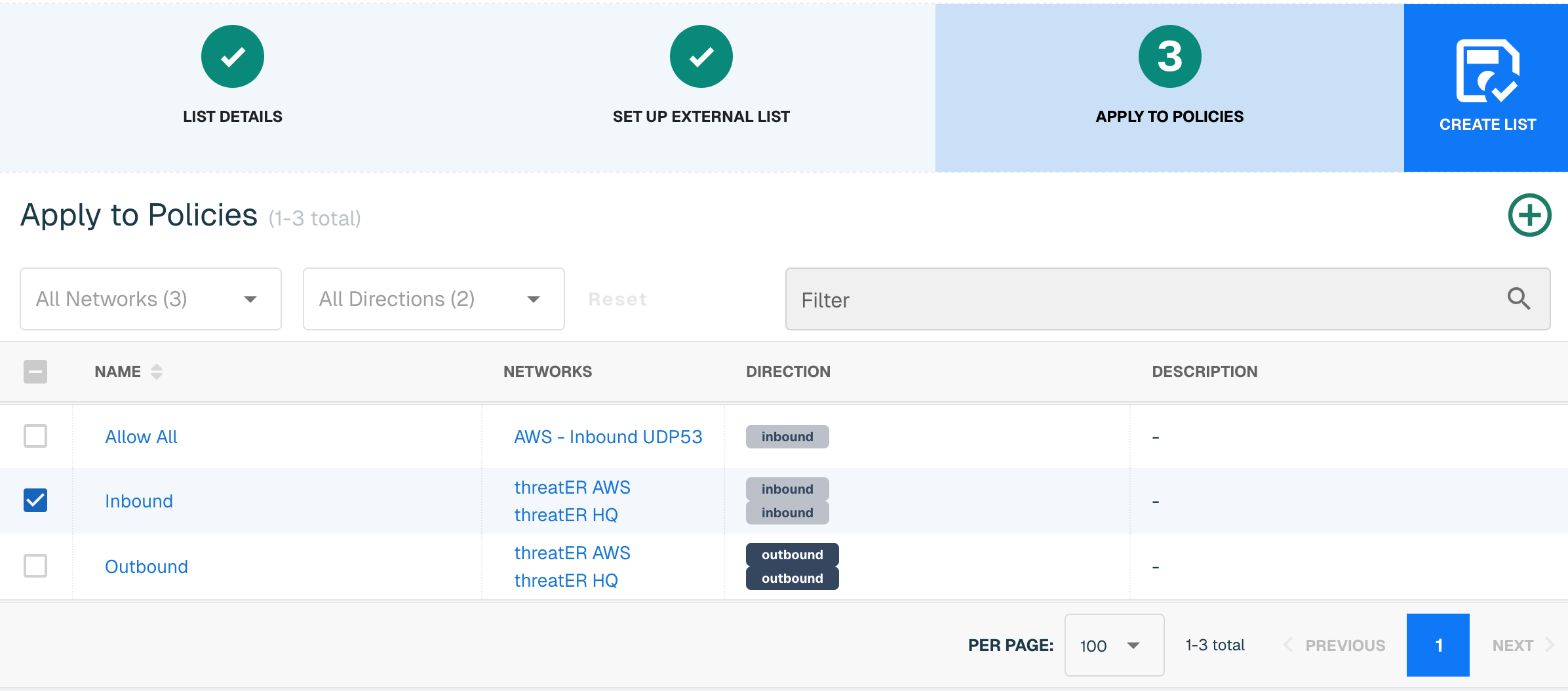
Admins also have the option to create a new policy within the Create List wizard. See this link for more information.
Select Create List to set up the Domain list. It may take up to 24 hours for the feed to initially populate with entries. If it is urgent that an IP be blocked immediately, create a manual list and add the IP for immediate effect.