
Creating Users
Only users with Master Admin role type will be able to create a user. Log into the threatER Portal (portal.threater.com) to access the user creation tab. Navigate to Administration > Users and click the green ⊕ icon in the top right-corner to create a new user.
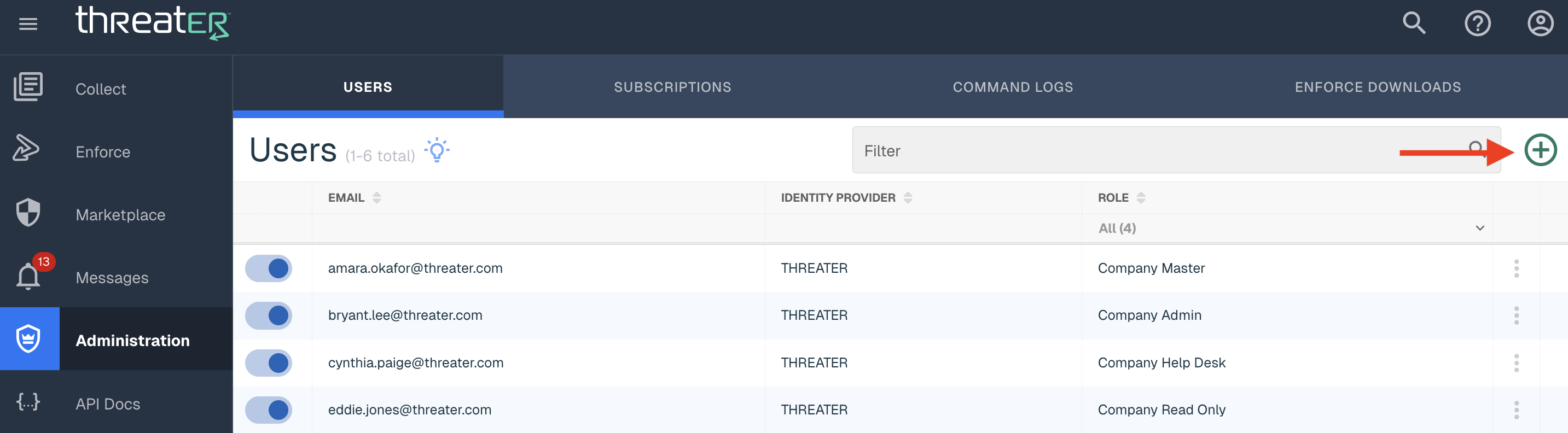
In the Create User modal, enter the user's email address and role type. Click Create to finalize the user account creation.
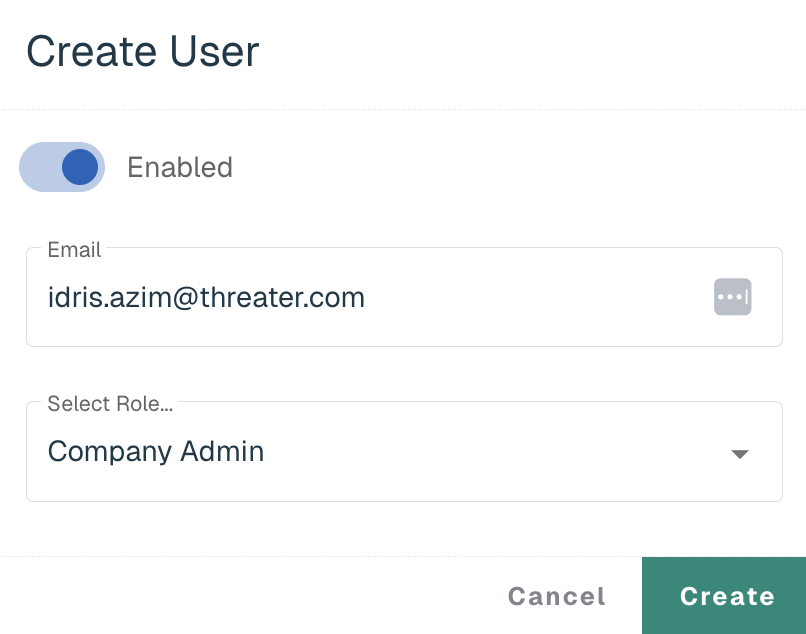
Logging In for the First Time
A welcome email will be sent to the user's email address to finalize account setup. The password link to set up a password will expire in 24 hours.
Click on the Create Password button to create a unique password. Once the password is created, users will be redirected to the login page to input their username and newly created password.
Editing Users
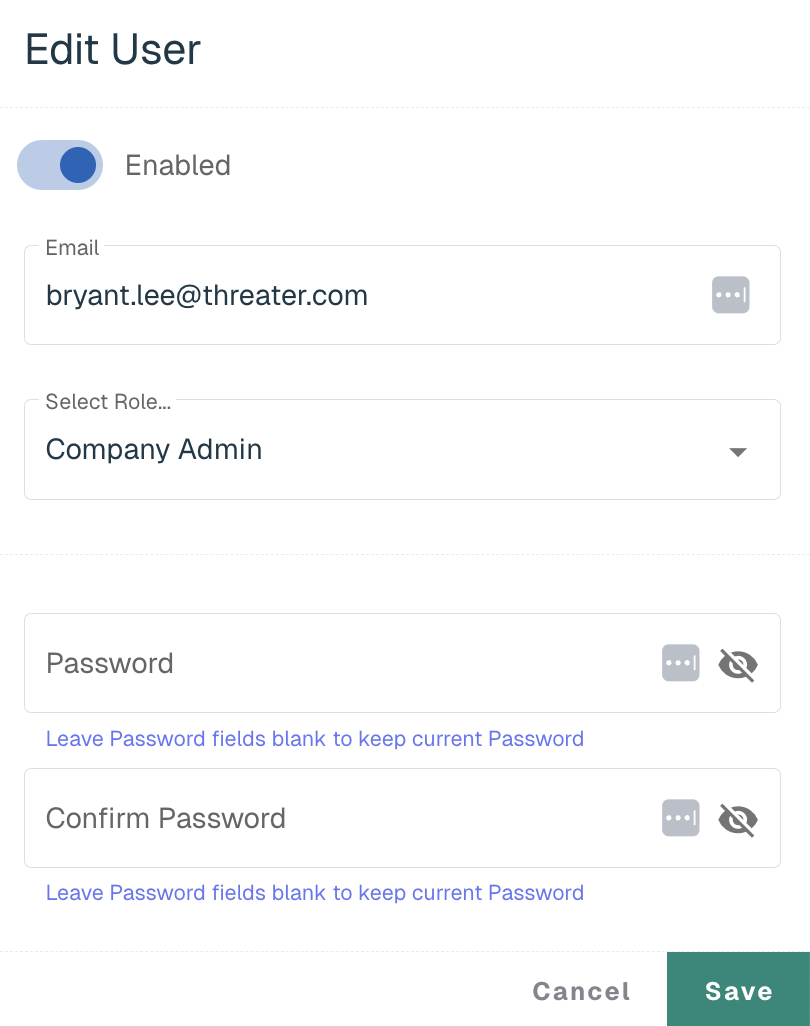
Users with Master Admin and Admin role types will be able to edit users' email and role or reset passwords. Click on the three vertical dots next to the user and select Edit. Click Save once the changes have been made.
Disabling Users
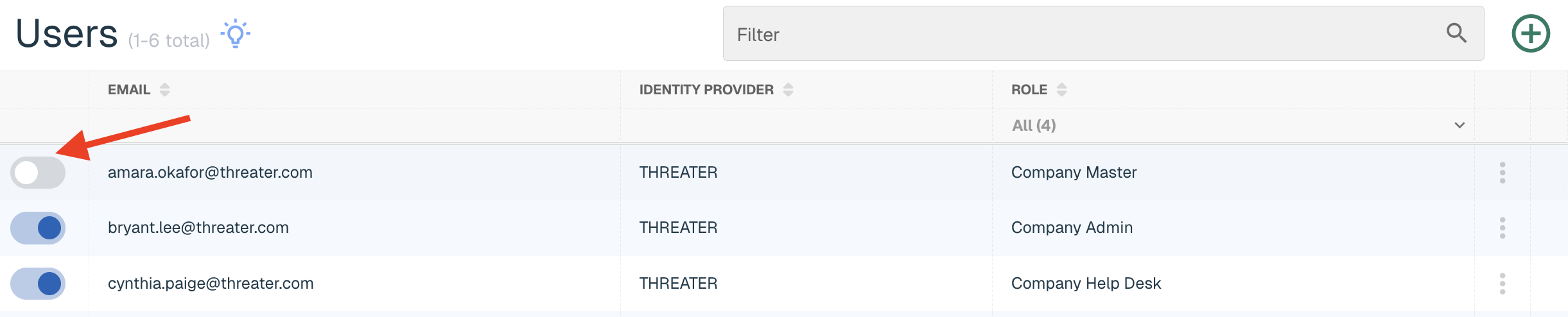
Users with Admin and Master Admin permissions can disable a user who no longer needs a seat to threatER. Go to Users in the left menu and toggle over to the left to disable the user.
Deleting Users
Users with Master Admin permissions can delete a user who no longer works at the company. A deleted users' previous actions will still be available in Command Logs. Go to Users in the left menu, select the three vertical dots next to the user and select Delete.
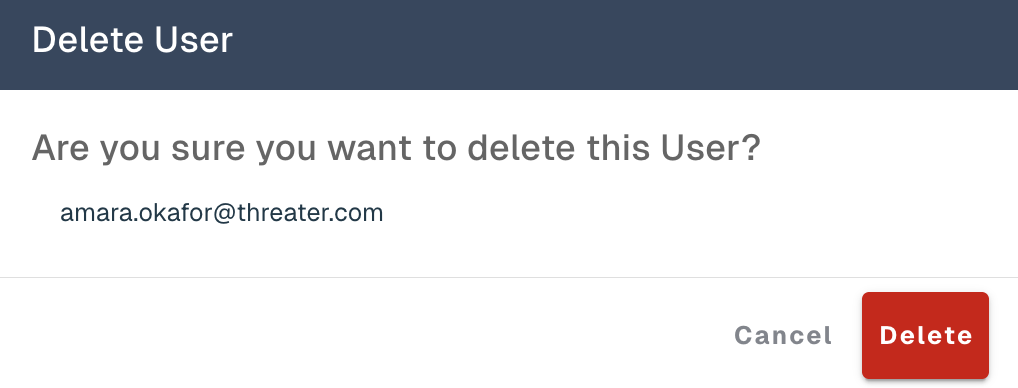
Admins will receive a pop-up message to confirm the deletion of the user.
User Role Types
threatER supports the following user roles with different Portal privileges:
-
Master Admin has full privileges in the Portal
-
Admin can set policies, configure lists, and make any other changes excluding creating or editing user accounts
-
Help Desk is only able to view Portal policies and settings or schedule reports from the Dashboard
-
Read Only can only view Portal policies and settings
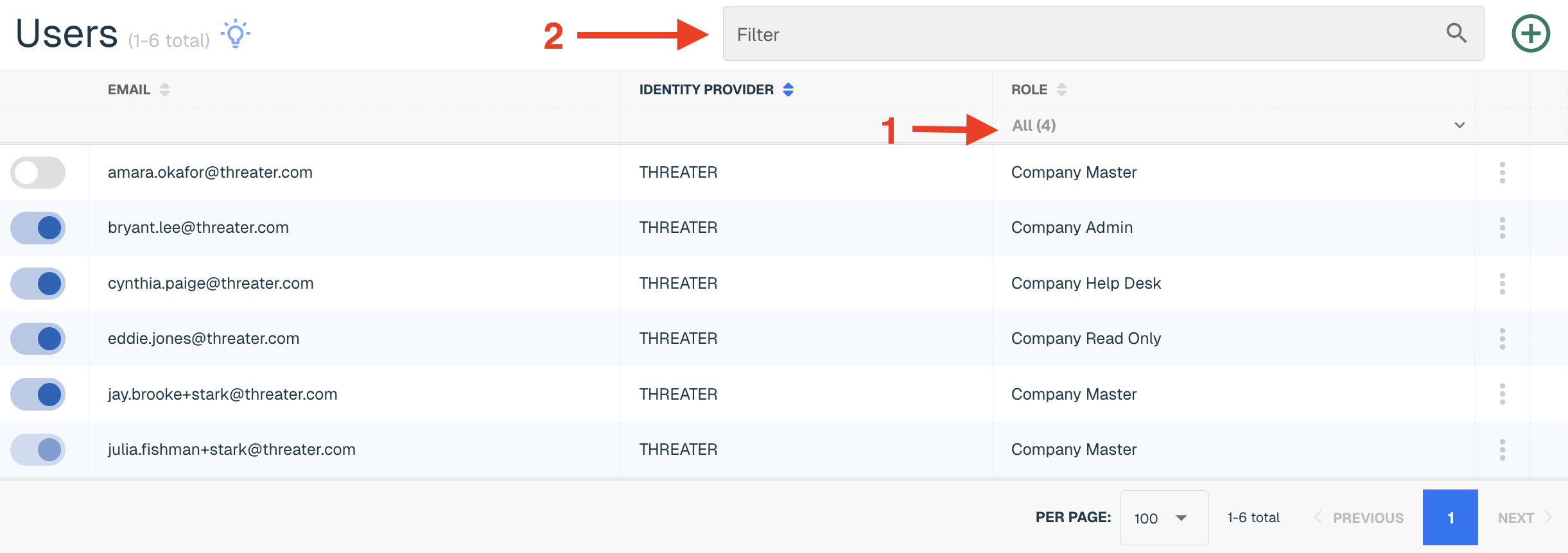
You can filter down to a user or set of users in the following ways:
-
All Roles will filter the table down to the users who are assigned the selected role
-
User Table Filter allows you to enter text in the Filter Tab search bar in the top right corner of the screen and the table will update to display applicable results
User Privileges by Role
The following table shows Portal user privileges by role.
|
CMP Roles & Permissions |
||||
|
|
Read Only |
Help Desk |
Admin |
Master |
|
COLLECT |
||||
|
LISTS |
||||
|
View Lists |
X |
X |
X |
X |
|
Create Lists |
|
|
X |
X |
|
Edit Lists |
|
|
X |
X |
|
Delete Lists |
|
|
X |
X |
|
MARKETPLACE |
||||
|
View Products |
X |
X |
X |
X |
|
View Product Details |
X |
X |
X |
X |
|
Subscribe to a Product |
|
|
|
X |
|
ENFORCE |
||||
|
ENFORCERS |
||||
|
View Enforcers |
X |
X |
X |
X |
|
Edit Enforcer Name/Location |
|
|
X |
X |
|
Manage Subscriptions |
|
|
X |
X |
|
View Available Enforce Software |
X |
X |
X |
X |
|
Update Enforce Software |
|
|
X |
X |
|
Reset Console Password |
|
|
|
X |
|
NETWORKS |
||||
|
View Networks |
X |
X |
X |
X |
|
Create Networks |
|
|
X |
X |
|
Edit Networks |
|
|
X |
X |
|
Delete Networks |
|
|
X |
X |
|
PORTS |
||||
|
View Ports |
X |
X |
X |
X |
|
Create Ports |
|
|
X |
X |
|
Edit Ports |
|
|
X |
X |
|
Delete Ports |
|
|
X |
X |
|
POLICIES |
||||
|
View Policies |
X |
X |
X |
X |
|
Create Policies |
|
|
X |
X |
|
Edit Policy Settings |
|
|
X |
X |
|
Delete Policies |
|
|
X |
X |
|
SUBSCRIPTIONS |
||||
|
View Subscriptions |
X |
X |
X |
X |
|
Manage Subscriptions |
|
|
X |
X |
|
UNEXPECTED BLOCKS |
||||
|
Submit and View Log Analysis |
X |
X |
X |
X |
|
Add IP to Allow List(s) |
|
|
X |
X |
|
REPORTS |
||||
|
View Reports |
X |
X |
X |
X |
|
View Scheduled Reports |
X |
X |
X |
X |
|
Schedule Reports |
|
|
X |
X |
|
Edit Scheduled Reports |
|
|
X |
X |
|
Delete Scheduled Reports |
|
|
X |
X |
|
MARKETPLACE |
||||
|
View Products |
X |
X |
X |
X |
|
View Product Details |
X |
X |
X |
X |
|
Subscribe to a Product |
|
|
|
X |
|
MESSAGES |
||||
|
View Messages |
X |
X |
X |
X |
|
Delete Messages |
X |
X |
X |
X |
|
ADMINISTRATION |
||||
|
USERS |
||||
|
View Users |
X |
X |
X |
X |
|
Create User |
|
|
|
X |
|
Edit Users |
|
|
X |
X |
|
Delete Users |
|
|
|
X |
|
SUBSCRIPTIONS |
||||
|
View Subscriptions |
X |
X |
X |
X |
|
COMMAND LOGS |
||||
|
View Command Logs |
X |
X |
X |
X |
|
ENFORCE DOWNLOADS |
||||
|
Manual Downloads |
X |
X |
X |
X |
|
COMPANY PROFILE |
||||
|
Allow SSO to Create New Users |
|
|
|
X |
|
Allow API Access |
|
|
|
X |
|
Require MFA for Company |
|
|
|
X |
|
IOC SEARCH |
||||
|
Search Indicators |
X |
X |
X |
X |