
There are four types of internal logs provided for threatER applications:
-
Packet Logs show connections by IP, Country and ASN in Enforce
-
Domain Logs display connections by Domain in Enforce, if DNS encryption is not used for the connection
-
System Logs show notices, errors and emergency alerts for the Enforcer
-
Audit Logs are available in both Enforce and Portal and provide user activity or changes within each instance of threatER
Packet, Domain, System and Enforce specific Audit Logs are only available in Enforce.
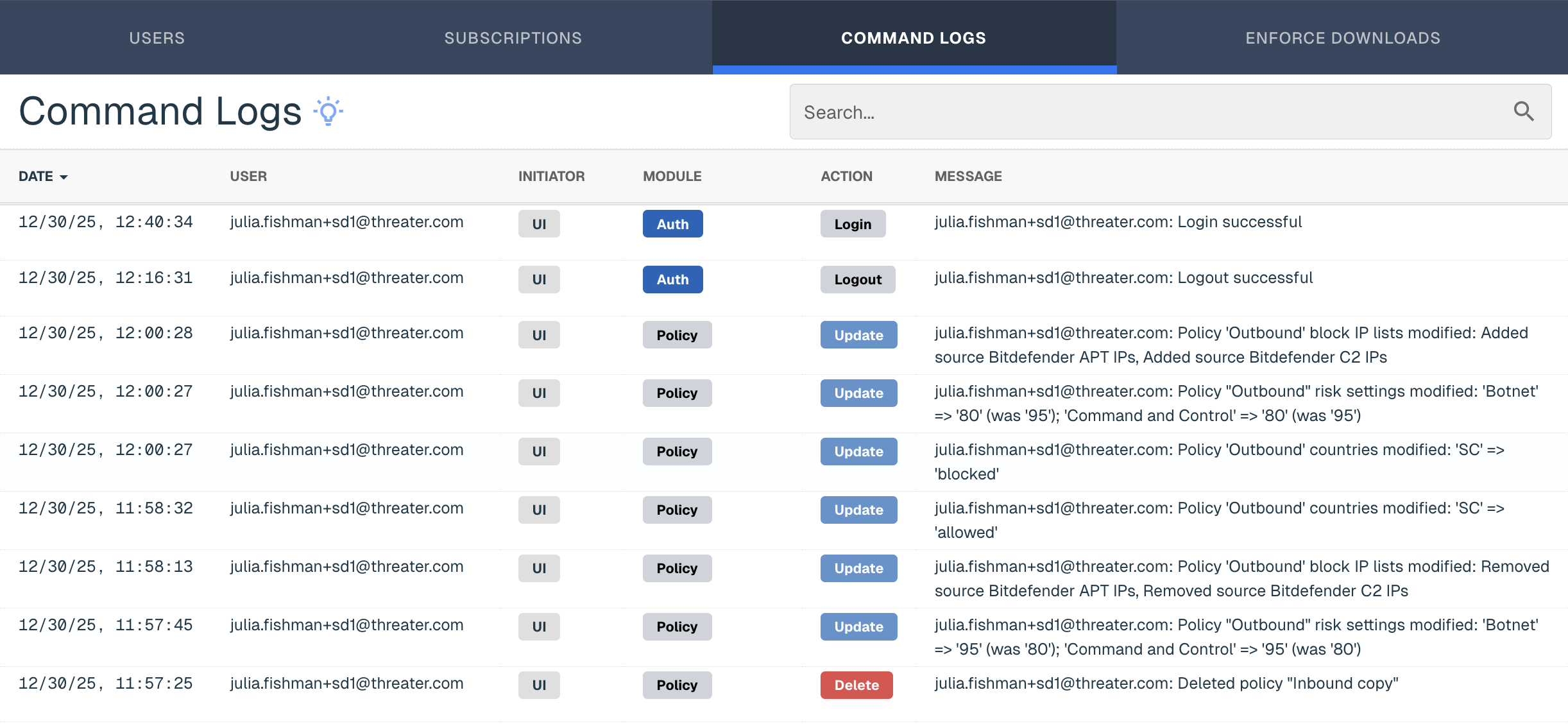
Audit Logs in the Portal, or Command Logs, show a running history of actions taken by users of the Portal system. This can be useful for auditing and troubleshooting user changes made in the Portal. Any insights into IP or ASN activity (allowing, blocking, etc) should be investigated in the Enforce console under Logging > Internal Logs.
Command Log includes the date of the action, the user that made the changes, the initiator's type, the module or section of the Portal where the changes were made, the action taken and a brief message or description of the changes.
Module Descriptions
|
Module Value |
Description |
|
Auth |
User Logs in and Logs out of the Portal |
|
Report Schedule |
User has made changes to scheduled reports |
|
Policy |
Changes made to Policies |
|
Allow IP |
Adjustments to Allow IP entry |
|
Block IP |
Adjustments to Block IP entry |
|
Sources |
Changes to Lists |
|
Appliance |
Adjustments to Edge Instances |
|
Network |
Changes to Networks or Ports |
|
Subscriptions |
Changes to Subscriptions |
|
Adjustments |
Changes to ASN |
|
User |
Changes in User Management |
Action Descriptions
|
Action Value |
Description |
|
Create |
Add new entries |
|
Update |
Edit existing entries |
|
Delete |
Deactivate or remove existing entries |
|
Login |
User signs into Portal |
|
Logout |
User signs out of Portal |